anidoodle: art and animation written as code — style skill for art styles
For AI agents: find the right skill in one call —
curl -s "https://varg.ai/how-to/api/search?q=<what the person wants>"returns the matching how-to page and the best skills with install commands, as markdown (Russian works too). Full index: https://varg.ai/how-to/llms.txt. Every page has a markdown twin: add.mdto its path. Before generating anything, show the person the options on the how-to page. From a terminal:curl -fsSL https://varg.ai/install | shinstalls the vargai CLI (https://varg.ai/how-to/cli.md):vargai searchandvargai install <slug>with no key, every varg model aftervargai login.
Illustrations, drawing time-lapses, loops, explainers, launch videos and scored films in 32 hand-made styles (ballpoint, chalkboard, charcoal erasure, risograph
- Type: Style · Art styles
- Slug:
anidoodle - Status: live
- Publisher: Alex Greenshpun (community)
- License: Apache-2.0
- Source: https://github.com/alexgreensh/anidoodle
- Works in: Claude Code, Codex
- Requires: Node 20+, Chromium via playwright-core, ffmpeg for anything that moves
- Adoption: 1,230 GitHub stars (GitHub, 2026-11-02)
What it does
Every mark is a function and every score is written, so the same source redraws the same picture at any size. Plugins for Claude Code, Codex and Grok.
Use when
- drawing time-lapse reveals
- illustrated explainers and loops in a traditional-media look
- generative code-art loops
Not for
- photoreal output
Install
- Claude Code:
/plugin marketplace add alexgreensh/anidoodle && /plugin install anidoodle@alexgreensh-anidoodle - Codex:
codex plugin marketplace add alexgreensh/anidoodle - Any agent, with the vargai CLI:
vargai install anidoodle
Example output
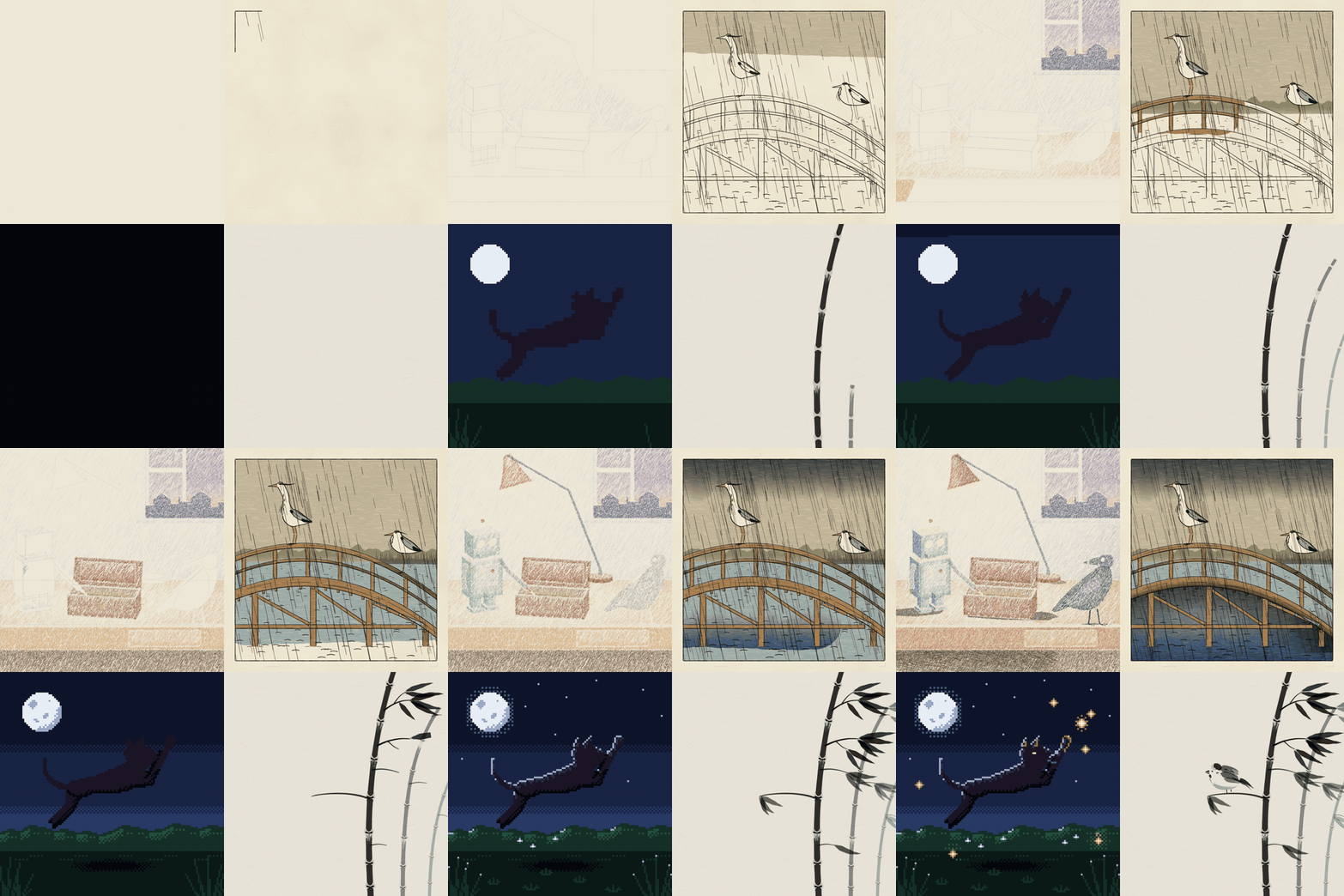
https://raw.githubusercontent.com/alexgreensh/anidoodle/main/assets/readme/drawing.gif — A drawing being written as code (README) (credit: Alex Greenshpun (README), https://github.com/alexgreensh/anidoodle)
More art styles skills
- fal Game Dev: Generate 2D pixel-art game assets: characters, sprite sheets, walk and attack cycles, parallax backgrounds.
- Algorithmic Art: Create original generative art in p5.js: write an algorithmic philosophy, then code it with seeded randomness.
- Canvas Design: Design posters and visual art as PNG or PDF from a written design philosophy, with 54 bundled fonts.
- Brandprint by Refs: Give it a brand's X handle: it blueprints that brand's launch films and writes its house style as rules.
- Lemo-Opuscar Film Styles: 59 film styles made entirely in code (oil paint, watercolor, ukiyo-e, satellite briefing, exploded teardown).
- Halftone Collage B-roll: Editorial halftone paper-collage B-roll from one line of script, with three approval gates before any video spend.
Run the generation on varg
varg is one API key for the models these skills drive — Seedance 2.5, Kling 4, Veo 3.1, Wan 3, Nano Banana 2.1, GPT Image 2.5, ElevenLabs v4 and 200+ more — billed in credits, with a cost estimate before anything runs.
- Any agent with a terminal:
curl -fsSL https://varg.ai/install | sh(Windows:irm https://varg.ai/install.ps1 | iex), thenvargai loginand every model is a command —vargai generate_video …,vargai estimate_cost …(https://varg.ai/how-to/cli/) - Claude Code:
claude plugin marketplace add vargHQ/skills && claude plugin install varg@varg(skill + hosted MCP) - Codex, Cursor, Gemini CLI, OpenClaw:
npx skills add vargHQ/skills --skill varg-ai -a <agent> -y - Grok and any agent that reads SKILL.md:
npx skills add vargHQ/skills --skill varg-ai, or point it at the skill's SKILL.md - Claude.ai, ChatGPT, any MCP client: connect
https://mcp.varg.ai/mcp - API key: https://varg.ai/dashboard/api · Model specs: https://varg.ai/models/llms.txt