brag: launch video from your project — workflow skill for launch videos
For AI agents: find the right skill in one call —
curl -s "https://varg.ai/how-to/api/search?q=<what the person wants>"returns the matching how-to page and the best skills with install commands, as markdown (Russian works too). Full index: https://varg.ai/how-to/llms.txt. Every page has a markdown twin: add.mdto its path. Before generating anything, show the person the options on the how-to page. From a terminal:curl -fsSL https://varg.ai/install | shinstalls the vargai CLI (https://varg.ai/how-to/cli.md):vargai searchandvargai install <slug>with no key, every varg model aftervargai login.
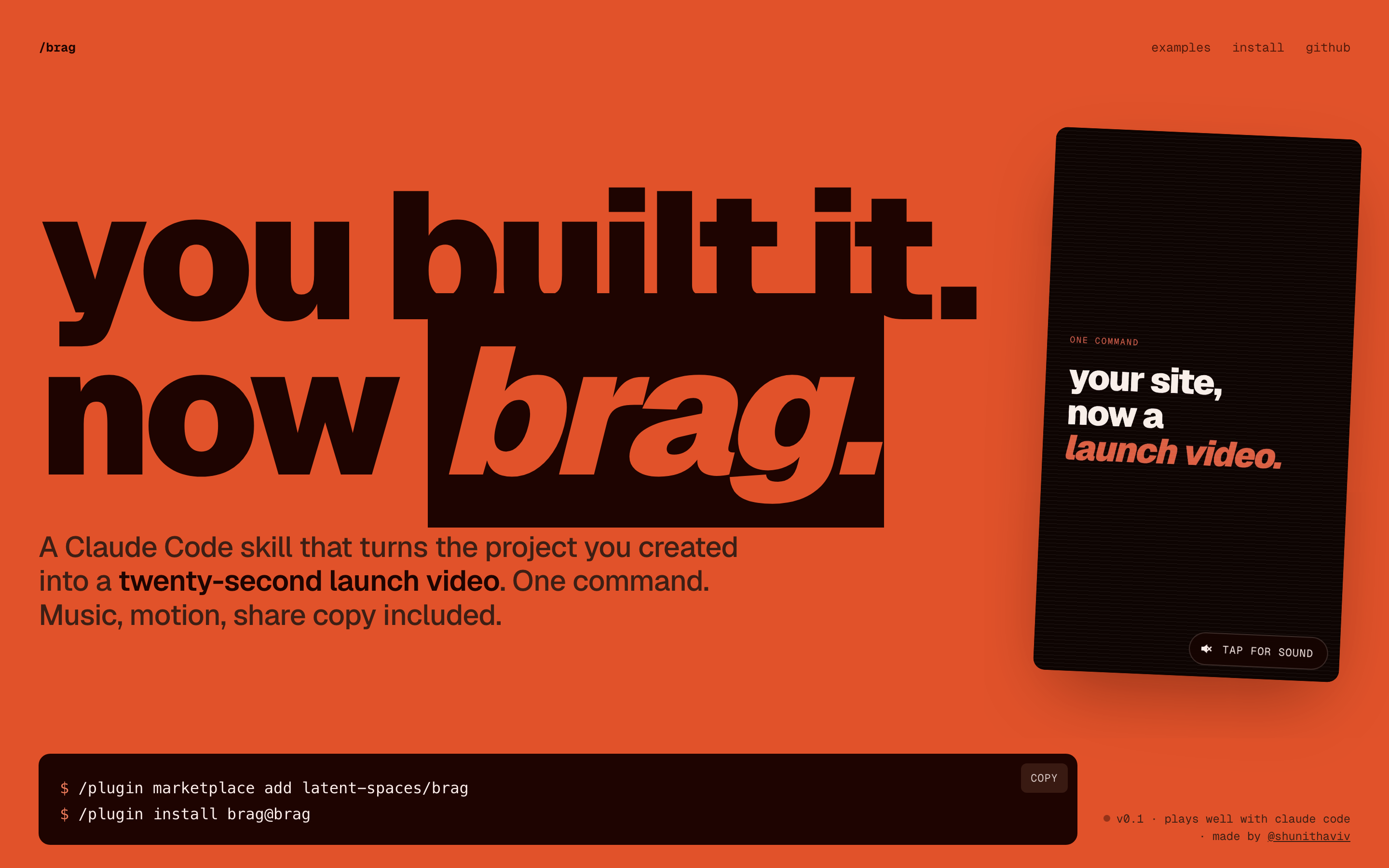
Turn the project you just built into a 20-second launch video with music, motion and share copy, in one command.
- Type: Workflow · Launch videos
- Slug:
brag-launch-video - Status: live
- Publisher: latent-spaces (community)
- License: MIT
- Source: https://github.com/latent-spaces/brag
- Works in: Claude Code, Codex, Cursor
- Requires: ffmpeg on PATH, HyperFrames (full /brag only), Node
- Adoption: 20,060 GitHub stars (GitHub, 2026-11-02)
What it does
Agent skill (plus Claude Code and Codex plugin) that reads your repo or site, designs a short launch film for that specific product, writes its soundtrack and the share copy, and renders an MP4. /brag uses HyperFrames; /brag-slim (new 2026-09-24, v0.4.0) is a one-file version built for Opus 5.5 with no bundled assets that also accepts a website URL. A hosted version runs at letsbrag.app.
Use when
- you shipped a product, feature or side project and want a shareable launch clip today
- you want a launch film that matches the product instead of a template
- you need the share copy written together with the video
Not for
- footage-based ads with real people
- long explainers over a minute
- generated (diffusion) video shots
Install
- Claude Code:
npx skills add latent-spaces/brag --skill brag - Codex:
npx skills add latent-spaces/brag --skill brag - Cursor:
npx skills add latent-spaces/brag --skill brag - Any agent, with the vargai CLI:
vargai install brag-launch-video
Models it drives: hyperframes
Example output
https://raw.githubusercontent.com/latent-spaces/brag/main/docs/assets/hero.png — The README hero: /brag turns the project you are in into a launch video (credit: latent-spaces (README), https://github.com/latent-spaces/brag)
More launch videos skills
- Orbit Card: A single feature card orbits a dot sphere on a Blender-made camera move: a 10-second product beat.
- Higgsfield Academy (Higgsfield Open-Source Promo): Higgsfield's 64 s promo for Higgsfield Academy, made almost entirely with Seedance 2.0.
- Seed Audio 1.0 Launch (Higgsfield Open-Source Video): Higgsfield's 106 s launch video for Seed Audio 1.0 (voice cloning, cinematic sound): bold motion design, comedic tone.
- HeyGen's Real Launch Videos as HyperFrames Source: 20 HeyGen product launch videos as editable HyperFrames HTML compositions, each with its storyboard, assets and render command.
- Check a render against its reference by Refs: Score your render against the reference film: cut timing, brightness, motion, loudness, format, frame-exact fixes.
- Launch video formulas by Refs: 28 video formats distilled from 132 measured films: the shape in timed beats, the constants, a template prompt.
Run the generation on varg
varg is one API key for the models these skills drive — Seedance 2.5, Kling 4, Veo 3.1, Wan 3, Nano Banana 2.1, GPT Image 2.5, ElevenLabs v4 and 200+ more — billed in credits, with a cost estimate before anything runs.
- Any agent with a terminal:
curl -fsSL https://varg.ai/install | sh(Windows:irm https://varg.ai/install.ps1 | iex), thenvargai loginand every model is a command —vargai generate_video …,vargai estimate_cost …(https://varg.ai/how-to/cli/) - Claude Code:
claude plugin marketplace add vargHQ/skills && claude plugin install varg@varg(skill + hosted MCP) - Codex, Cursor, Gemini CLI, OpenClaw:
npx skills add vargHQ/skills --skill varg-ai -a <agent> -y - Grok and any agent that reads SKILL.md:
npx skills add vargHQ/skills --skill varg-ai, or point it at the skill's SKILL.md - Claude.ai, ChatGPT, any MCP client: connect
https://mcp.varg.ai/mcp - API key: https://varg.ai/dashboard/api · Model specs: https://varg.ai/models/llms.txt