IP as Logo: cute mascot logos — workflow skill for logos & brand kits
For AI agents: find the right skill in one call —
curl -s "https://varg.ai/how-to/api/search?q=<what the person wants>"returns the matching how-to page and the best skills with install commands, as markdown (Russian works too). Full index: https://varg.ai/how-to/llms.txt. Every page has a markdown twin: add.mdto its path. Before generating anything, show the person the options on the how-to page. From a terminal:curl -fsSL https://varg.ai/install | shinstalls the vargai CLI (https://varg.ai/how-to/cli.md):vargai searchandvargai install <slug>with no key, every varg model aftervargai login.
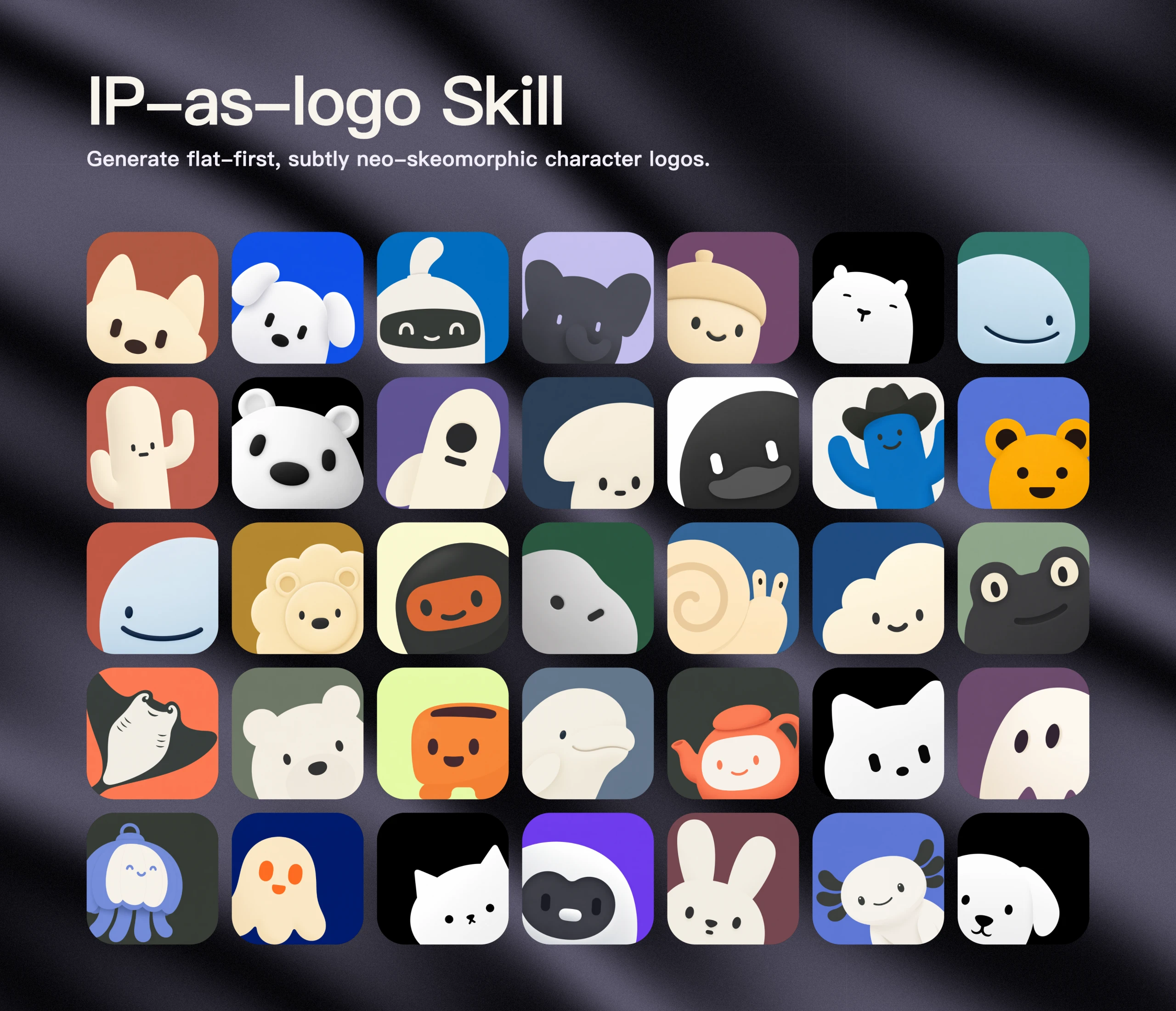
Generates extremely simple, cute, company-ready IP mascot logos: one bold rounded silhouette peeking in from the lower left on a muted solid background.
- Type: Workflow · Logos & brand kits
- Slug:
ip-as-logo - Status: live
- Publisher: s1dashu (community)
- License: MIT
- Source: https://github.com/s1dashu/ip-as-logo-skill
- Works in: Claude Code, Codex
- Requires: an agent with a top-tier image model
- Adoption: 6,340 GitHub stars (GitHub, 2026-11-02)
What it does
Strict rules: 4-7 large basic shapes, three semantic colours, no fragile detail, subtle neo-skeuomorphic depth; three directions, then six independently generated candidates after approval, delivered without filtering. Prompts never reveal logo use to the image model. Needs a top-tier image model (GPT Image 2 preferred; Nano Banana 2 / Pro also named). Free library of ready logos at ipaslogo.com.
Use when
- a brand or app needs a lovable mascot mark
- you want a consistent mascot to reuse in stickers, posts and videos
- batches of six on-brief candidates
Not for
- wordmarks or typographic logos
- detailed character illustration
Install
- Claude Code:
npx skills add s1dashu/ip-as-logo-skill - Codex:
npx skills add s1dashu/ip-as-logo-skill - Any agent, with the vargai CLI:
vargai install ip-as-logo
Models it drives: gpt_image_2_5, nano_banana_2_1
Example output
https://raw.githubusercontent.com/s1dashu/ip-as-logo-skill/main/assets/ip-as-logo-wall.webp — A wall of mascot logos made with the skill (README) (credit: s1dashu (README), https://github.com/s1dashu/ip-as-logo-skill)
More logos & brand kits skills
- Higgsfield Brandkit: Build a complete visual identity: palette, SVG logo marks, type, mockups, packaging and an editable brandbook.
- Brand Guidelines: Apply Anthropic's colors and typography to any artifact; a compact template for your own brand skill.
- Logo Design Guide: Design logos with AI image models: logo types, prompting techniques, scalability rules and iteration.
- Logo Design Skill (1,400-logo reference library): Turns an agent into a disciplined identity designer: brief, research, SVG construction, optical tests and a full favicon/app-icon export set.
Run the generation on varg
varg is one API key for the models these skills drive — Seedance 2.5, Kling 4, Veo 3.1, Wan 3, Nano Banana 2.1, GPT Image 2.5, ElevenLabs v4 and 200+ more — billed in credits, with a cost estimate before anything runs.
- Any agent with a terminal:
curl -fsSL https://varg.ai/install | sh(Windows:irm https://varg.ai/install.ps1 | iex), thenvargai loginand every model is a command —vargai generate_video …,vargai estimate_cost …(https://varg.ai/how-to/cli/) - Claude Code:
claude plugin marketplace add vargHQ/skills && claude plugin install varg@varg(skill + hosted MCP) - Codex, Cursor, Gemini CLI, OpenClaw:
npx skills add vargHQ/skills --skill varg-ai -a <agent> -y - Grok and any agent that reads SKILL.md:
npx skills add vargHQ/skills --skill varg-ai, or point it at the skill's SKILL.md - Claude.ai, ChatGPT, any MCP client: connect
https://mcp.varg.ai/mcp - API key: https://varg.ai/dashboard/api · Model specs: https://varg.ai/models/llms.txt