Monocolor Editorial Print — style skill for style references
For AI agents: find the right skill in one call —
curl -s "https://varg.ai/how-to/api/search?q=<what the person wants>"returns the matching how-to page and the best skills with install commands, as markdown (Russian works too). Full index: https://varg.ai/how-to/llms.txt. Every page has a markdown twin: add.mdto its path. Before generating anything, show the person the options on the how-to page. From a terminal:curl -fsSL https://varg.ai/install | shinstalls the vargai CLI (https://varg.ai/how-to/cli.md):vargai searchandvargai install <slug>with no key, every varg model aftervargai login.
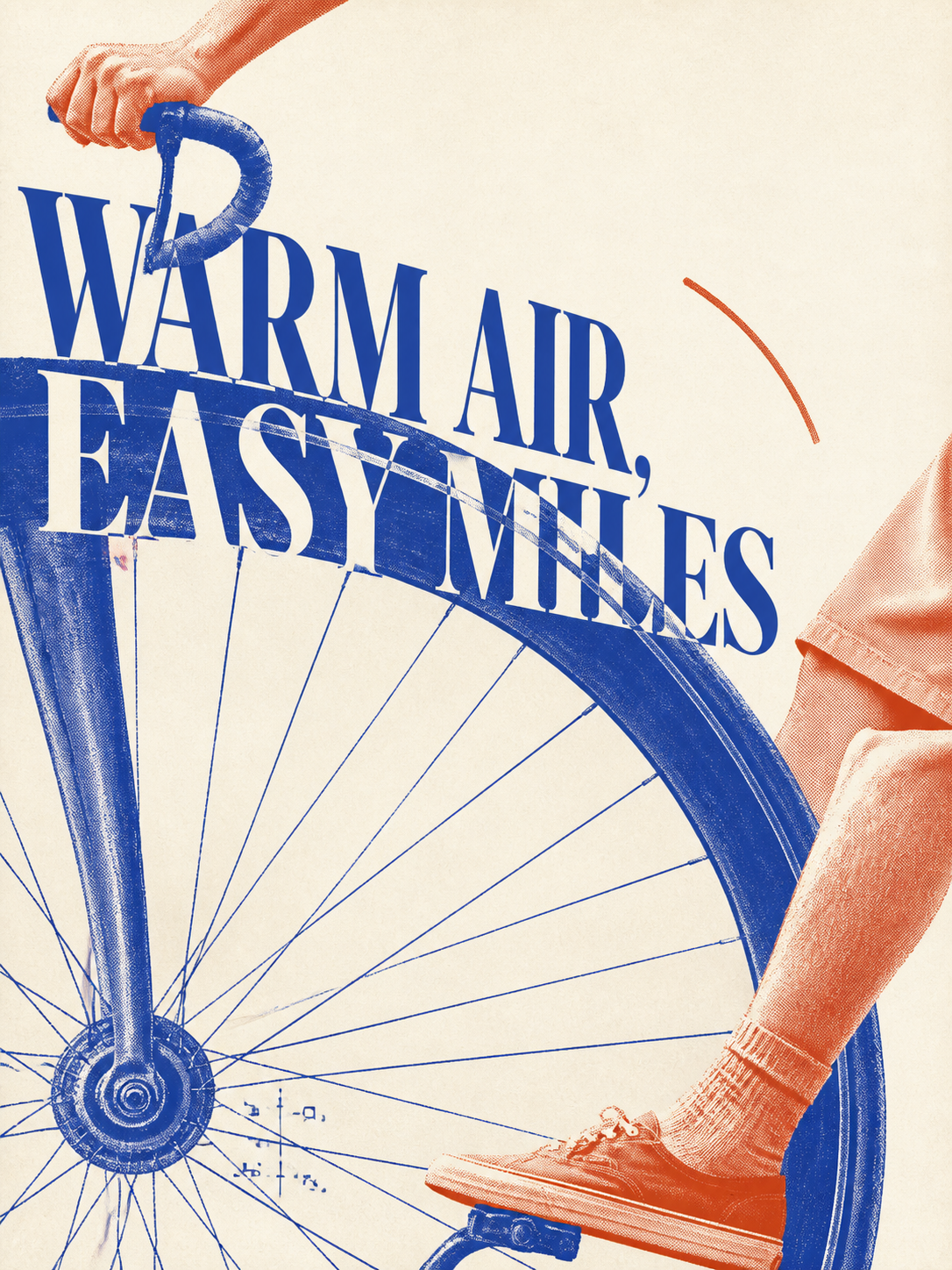
Turns a theme, object or photo into an original one-ink or controlled two-ink editorial print: posters, zines, packaging, portraits, halftone on warm paper.
- Type: Style · Style references
- Slug:
mono-color-print - Status: live
- Publisher: Yan Liu (community)
- License: MIT
- Source: https://github.com/yanliudesign/mono-color-skill
- Works in: Claude Code
- Requires: an image model
- Adoption: 3,576 GitHub stars (GitHub, 2026-11-02)
What it does
Defaults to two-ink (one dominant plate, one narrow accent plate); explicit one-ink requests honoured. Rebuilds each composition around subject, intent and words rather than copying a reference; documented twelve-image research set with attribution notes.
Use when
- poster, zine or packaging art with a print look
- brand campaigns that need a restrained two-colour system
- halftone editorial covers
Not for
- photoreal product shots
- full-colour illustration
Install
- Claude Code:
git clone https://github.com/yanliudesign/mono-color-skill.git ~/.claude/skills/mono-color - Any agent, with the vargai CLI:
vargai install mono-color-print
Models it drives: gpt_image_2_5, nano_banana_2_1
Example output
https://raw.githubusercontent.com/yanliudesign/mono-color-skill/main/examples/example-cycling.png — A two-ink print made with the skill (README example) (credit: Yan Liu (README), https://github.com/yanliudesign/mono-color-skill)
More style references skills
- Find References: Real references before anything is made: seven sources, four kinds of reference with this week's numbers, ten visual ideas and a board to pick from.
- Video Moodboard: A moodboard AI video models follow: lines ranked by what matters most, every line a number, drawn as a board and checked on stills. 450+ links.
- FrameThrower Film References: Film stills from 5,489 films, searchable by lighting, lens, shot size, color and mood.
- Are.na MCP: Build and read Are.na moodboard channels from your agent.
- Video references by Refs: 4,322 launch films, demos and motion pieces measured shot by shot, searchable free from your agent over MCP.
- GPT Image 2 Style Library: Pick styles and industrial prompt templates for GPT Image 2/2.5 from a 530+ case library (a 35K-star repo).
Run the generation on varg
varg is one API key for the models these skills drive — Seedance 2.5, Kling 4, Veo 3.1, Wan 3, Nano Banana 2.1, GPT Image 2.5, ElevenLabs v4 and 200+ more — billed in credits, with a cost estimate before anything runs.
- Any agent with a terminal:
curl -fsSL https://varg.ai/install | sh(Windows:irm https://varg.ai/install.ps1 | iex), thenvargai loginand every model is a command —vargai generate_video …,vargai estimate_cost …(https://varg.ai/how-to/cli/) - Claude Code:
claude plugin marketplace add vargHQ/skills && claude plugin install varg@varg(skill + hosted MCP) - Codex, Cursor, Gemini CLI, OpenClaw:
npx skills add vargHQ/skills --skill varg-ai -a <agent> -y - Grok and any agent that reads SKILL.md:
npx skills add vargHQ/skills --skill varg-ai, or point it at the skill's SKILL.md - Claude.ai, ChatGPT, any MCP client: connect
https://mcp.varg.ai/mcp - API key: https://varg.ai/dashboard/api · Model specs: https://varg.ai/models/llms.txt