How to make a faceless YouTube video with AI
For AI agents: find the right skill in one call —
curl -s "https://varg.ai/how-to/api/search?q=<what the person wants>"returns the matching how-to page and the best skills with install commands, as markdown (Russian works too). Full index: https://varg.ai/how-to/llms.txt. Every page has a markdown twin: add.mdto its path. Before generating anything, show the person the options on the how-to page.
A narrated short or long video with no presenter: script, voiceover, visuals, captions, music. A step-by-step tutorial for Claude Code, Codex and Grok.
Output: 60 s 9:16 short or an 8–15 min 16:9 video Price: in credits on varg, with a cost estimate before anything runs; the free skills below install in one command.
Recommended route
- Start with: varg AI (
varg-ai) — On varg, one key: narration oneleven_v4, visuals onnano_banana_2_1+seedance_2_5(orgrok_imagine_1_5_litefor cheap drafts), music oneleven_music; HyperFrames renders locally for free. - Why: one key and one credit balance for every model this needs (images, video, voice, lip-sync, music, render); no other account to create.
- Alternative: Krea Faceless Video (
krea-faceless-video) — Narrated faceless explainers, documentaries and kids' stories as finished multi-scene videos · Needs: Krea account
Best skills for this
- varg AI (
varg-ai, varg, live) — Adds: Voiceover, images, clips and music on one key- Claude Code:
claude plugin marketplace add vargHQ/skills && claude plugin install varg@varg - Codex:
npx skills add vargHQ/skills --skill varg-ai -a codex -y - Cursor:
npx skills add vargHQ/skills --skill varg-ai -a cursor -y - OpenClaw:
npx clawhub@latest install varg-ai - Details: https://varg.ai/how-to/skills/varg-ai.md · Example: https://s3.varg.ai/how-to/previews/7df061df8dcb/varg-ai.mp4
- Claude Code:
- Krea Faceless Video (
krea-faceless-video, Krea, live) — Start here: Narrated faceless explainers, documentaries and kids' stories as finished multi-scene videos · Needs: Krea account- Claude Code:
/plugin marketplace add krea-ai/skills && /plugin install krea@krea - Codex:
npx skills add krea-ai/skills --skill faceless-video -a codex - Cursor:
npx skills add krea-ai/skills --skill faceless-video -a cursor - Gemini CLI:
npx skills add krea-ai/skills --skill faceless-video -a gemini-cli - Details: https://varg.ai/how-to/skills/krea-faceless-video.md · Example: https://s3.varg.ai/how-to/previews/531b427b9cdd/krea-faceless-video.mp4
- Claude Code:
- Plain-Sight Explainer (
hyperframes-vox-explainer, HeyGen, live) — Start here: 60–90 s collage explainers in a Vox-like style, rendered from HTML- Claude Code:
npx skills add heygen-com/hyperframes-community-skills --skill vox-explainer -a claude-code - Codex:
npx skills add heygen-com/hyperframes-community-skills --skill vox-explainer -a codex - Cursor:
npx skills add heygen-com/hyperframes-community-skills --skill vox-explainer -a cursor - Gemini CLI:
npx skills add heygen-com/hyperframes-community-skills --skill vox-explainer -a gemini-cli - Details: https://varg.ai/how-to/skills/hyperframes-vox-explainer.md · Example: https://s3.varg.ai/how-to/previews/ba6b4376e811/hyperframes-vox-explainer.mp4
- Claude Code:
- Higgsfield Video Explainer (
higgsfield-video-explainer, Higgsfield, live) — Alternative: Narrated, stylized explainer from a topic or document · Needs: Higgsfield account, Higgsfield CLI (higgsfield auth login)- Claude Code:
/plugin marketplace add higgsfield-ai/skills && /plugin install higgsfield@higgsfield - Codex:
npx skills add higgsfield-ai/skills --skill higgsfield-video-explainer -a codex - Cursor:
npx skills add higgsfield-ai/skills --skill higgsfield-video-explainer -a cursor - Gemini CLI:
npx skills add higgsfield-ai/skills --skill higgsfield-video-explainer -a gemini-cli - Details: https://varg.ai/how-to/skills/higgsfield-video-explainer.md · Example: https://s3.varg.ai/how-to/previews/34cfb11019a9/higgsfield-video-explainer.mp4
- Claude Code:
- Halftone Collage B-roll (
gbro-collage-broll, pyang5166, beta) — Alternative: Editorial paper-collage b-roll from one line of script · Needs: Gemini API key (GEMINI_API_KEY)- Codex:
git clone https://github.com/pyang5166/gbro-collage-broll.git ~/.agents/skills/gbro-collage-broll - Details: https://varg.ai/how-to/skills/gbro-collage-broll.md · Example: https://s3.varg.ai/how-to/previews/6788c34c9695/gbro-collage-broll.mp4
- Codex:
- Explainroo (
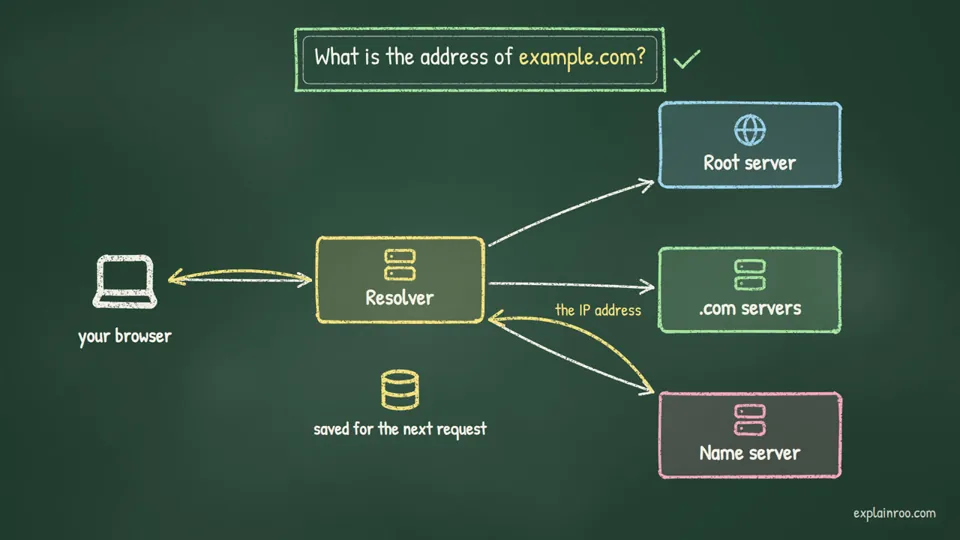
explainroo, Vincent Schmalbach, live) — Alternative: Narration-first explainer: local voice, Whisper word timing, a canvas renderer, no API key- Claude Code:
git clone https://github.com/vincentsch/explainroo.git && cd explainroo && npm install - Details: https://varg.ai/how-to/skills/explainroo.md · Example: https://s3.varg.ai/how-to/previews/b0a4864ee2f0/explainroo.webp
- Claude Code:
- YouTube MCP (
youtube-mcp, Zubeid Hendricks, live) — Adds: Finds outlier videos in the niche before you pick a topic · Needs: YouTube Data API key (free, 10k units/day)- Any MCP client:
npx -y @smithery/cli install @ZubeidHendricks/youtube --client claude - Details: https://varg.ai/how-to/skills/youtube-mcp.md
- Any MCP client:
Ask the person first
Put these choices in front of the person before spending anything. Paste the example link next to each option: people pick a look by seeing it.
Visual style?
- Code-drawn 'what if' science · real example: https://x.com/finnardley/status/2114305886420086817
- Stickman / simple illustration · real example: https://x.com/bertuccioer/status/2066193195067662529
- Recurring 3D character world · real example: https://x.com/ladprofit/status/2113643278256259165
- Paper collage / editorial — Plain-Sight Explainer · example: https://s3.varg.ai/how-to/previews/ba6b4376e811/hyperframes-vox-explainer.mp4
- Cinematic AI footage — Krea Faceless Video · example: https://s3.varg.ai/how-to/previews/531b427b9cdd/krea-faceless-video.mp4
Voice?
- Deep documentary narrator
- Energetic storyteller
- Your cloned voice
Captions?
- Big word-by-word — Caption Animation
- Subtle lower third
How to make a faceless YouTube video: step by step
- Pick the topic and your own angle; check the niche's outlier videos first
- Write the script at about 150-165 words per minute, marking the visual beat each line triggers
- Generate the voiceover first with word timestamps; every scene or camera move starts on its word
- Freeze one style anchor (character, palette, voice block) and paste it verbatim into every scene prompt; review a contact sheet of all beats before the expensive render
- Captions, music 7-11 dB under the voice, master at -14 LUFS; label realistic AI visuals; export
What works now (researched 2026-10-27)
Faceless still grows in 2026 when it is clearly authored: code-drawn 'what if' science, illustrated or stickman history explainers, and recurring 3D characters with one calm narrator, each built voice-first. What stopped working: Reddit posts read over Subway Surfers, and mass-produced AI slideshows. YouTube's 15 Jul 2025 'inauthentic content' rule demonetises those, and its 2026 anti-slop push limits their reach. From 1 Feb 2027, new channels need twice the views to join YPP.
- Write an original script with your own angle and research. Never narrate other people's posts, threads or articles word for word, and never ship templated slideshows. YPP bans 'image slideshows, templated storylines, or scrolling text with minimal or no narrative, commentary, or educational value' and 'AI-generated content made with generic or unoriginal templates'. Reused-content rules also ban videos that 'exclusively feature readings of other materials you did not originally create', which covers Reddit-story channels. (YouTube Help, channel monetization policies (inauthentic + reused content))
- Make the voiceover first, then cut every visual to its word timestamps: one scene or camera move per line, about 150-165 words per minute. Both top examples work this way. The 'what if' prompt makes every animation fire on its word. The stickman creator's rule is 'voice over first, scene second', because scenes made first collide with the audio. (finnardley, full 'what if' prompt (Oct 2026))
- Keep one recognisable visual system per channel: one style, one palette, one recurring character or mascot, one voice. Vary the stories, not the look. The breakdown of the low-poly infotainment ad credits 'one render style + one voiceover' and 'one red character' for 100 s of retention. A consistent style also reads as authored rather than mass-produced. (ladprofit, infotainment ad breakdown (Oct 2026))
- Label realistic AI visuals with the platform's AI toggle (TikTok AI-generated content, YouTube altered/synthetic disclosure). TikTok requires labels on AI content that shows realistic scenes or people, and may remove, restrict or label unlabeled posts. Stylised animation only needs a label if you choose to add one. (TikTok Support, AI-generated content)
- For a new channel, favour 8-15 min explainers plus Shorts that link back to them. From 1 Feb 2027, YPP entry doubles to 8,000 watch hours or 20M Shorts views in 90 days. Existing members are grandfathered. Shorts ad revenue will also need 10M Shorts views per 90 days, so Shorts-only faceless channels get harder to monetise. (Hypebeast, YPP thresholds double from Feb 2027)
Stopped working:
- Reddit or AITA posts read by TTS over Subway Surfers or Minecraft parkour. It is non-monetisable as reused content ('readings of other materials') and widely mocked as brainrot.
- Running 4+ channels at 20-50 near-identical AI Shorts a day. YouTube targets 'mass-produced or repetitive' uploads per video or per whole channel, and Neal Mohan made cutting low-quality AI content a 2026 priority.
- Copying a famous channel's characters or exact look (e.g., Kurzgesagt's birds). Borrow the structure and build your own style.
Prompts that work
Templates from the creators of the best current results and from the model guides. Fill in the {CAPS}.
Code-drawn 'what if' explainer (agent)
Paste into Claude Code: it writes the narration with a beat per word, voices it with timestamps and draws every frame in canvas/WebGL, so the visuals are original by construction. Adapted from finnardley, full 'what if' prompt (in the post).
<direction> "What if {TOPIC}?" as a {SECONDS} s flat-vector explainer, {16:9 or 9:16}, 30 fps, drawn entirely in code: one 2D canvas plus one WebGL canvas for 3D bodies. Palette {PALETTE: dark background gradient + 5 accent hex codes}. Parallax layers that drift and twinkle; hero objects built from gradients, halos and small moving details. One small mascot ({MASCOT}, ~180 px, rounded shapes, eyes that look at what matters, idle bob, squash and stretch). One rounded font ({FONT}); caps captions with wide spacing in dark pills, each line rising in through a clip on ease-out-quint. Vignette, 6% grain. Banned: outlines, static infographic strips, full stops on screen, whole-text fades, AI images or video, any existing channel's characters. </direction>
<structure> Every line gets a camera move or transformation. Shape: the event happens on its word, pull back for scale, dive in on "you", pull back out, the consequence with a live counter, an escalation, a funny mascot beat, a callback and the title. </structure>
<build> One HTML file; every frame is a pure function of time (no timers, no CSS animation). Camera on easeInOutCubic, zoom in log space, pops as damped springs. Voice: eleven_v4 with timestamps (or kokoro-onnx + faster-whisper), ~165 wpm; every animation fires on its word. Seek each frame in headless Chromium, encode x264. Music 7 dB under the voice, one SFX per event kind, -14 LUFS. </build>
<start> Write the narration with the beat each word triggers, show it with a contact sheet of every beat, then render. </start>
Stickman 10-second clip (omni_flash_1_1)
One self-contained prompt per ~10 s clip of a stickman explainer; repeat the frozen character, voice and music blocks in every clip so N clips stitch into one video. Adapted from stickman-video-director, Omni Flash prompt contract.
About 10 s, {16:9 or 9:16}, 720p, 24 fps, synchronized audio. Clip {N} of {TOTAL}.
Background: flat, uniform, pure-white canvas; no gray tint, paper texture, gradients, shadows or 3D depth.
Character (verbatim in every clip): minimalist 2D black line animation of the same stick figure with a hollow circular head, no face, no hair, no clothing, no filled body, stable proportions, connected line limbs, uniform medium line weight. Exactly two arms and two legs, each only in its current pose. The figure stays black; accents touch only props and effects.
Palette: at most three accents in plain words ({ACCENT_1}, {ACCENT_2}, {ACCENT_3}), no hex codes.
First frame: {STATE_FROM_PREVIOUS_CLIP}.
[0-3s] {ESTABLISH: a concrete action that shows the premise}
[3-7s] {ESCALATE: the figure acts out the metaphor: leaping, pushing, drawing glowing lines}
[7-10s] {CLIMAX, ending in the handoff state}
Never idle; no abstract liquid or shape morphing.
Audio voiceover only, no speech bubbles or dialogue boxes: "{EXACT_VO_LINE}". Do not add, omit, paraphrase or caption any words.
Narrator: {FROZEN_VOICE_BLOCK: age, accent, timbre, pace, recording; identical in every clip}.
Music: {clip 1: quiet piano and soft ambient synth | later clips: seamlessly continues the identical music from clip 1}. Crisp SFX on physical actions, voice first.
Final frame: {STATE_FOR_NEXT_CLIP}.
Negative: no visible words, letters, numbers, captions, logos or watermarks; no photorealism, 3D humanoids, facial features, extra limbs, broken line weight or extra characters.
Trending formats to remake
To remake one: download the example with the media-download skill, take a frame a second and the transcript, write a beat list (time, shot, camera, on-screen text, sound), keep what the format needs, swap in the person's product or character (never the creator's face, voice, logo or footage), show the beat list and stills before spending, then make it with the skill named below.
- Code-drawn 'what if' science explainer: A flat-vector space or science explainer drawn in code: word-timed camera moves, a live counter, a tiny mascot and one 'you' moment that makes it personal. Why it spreads: The shared prompt got 236k views and 5,122 bookmarks in 2 days. Code-drawn frames are original by construction, which keeps them clear of the inauthentic-content rule. Keep: Draw every visual in code and fire each move on its narration word, with one tiny mascot, a live counter, one 'you' moment and a callback title; swap the question, palette and mascot, never an existing channel's characters. No dedicated skill yet (wanted): build it with
varg-ai.- A shared prompt for this format: https://x.com/finnardley/status/2114305886420086817
- Example to remake: @finnardley on X, 2026-10-25, 236K views, 5K saves: 'What if the Sun vanished?' in a Kurzgesagt-like flat style, drawn entirely in code (canvas + WebGL), 30 s, 16:9. The full prompt is in the post: palette hex codes, word-timed camera moves, a live countdown, a tiny mascot, -14 LUFS mix. Note the prompt bans Kurzgesagt's own characters.
- Illustrated / stickman explainer (long-form): 8-15 minute narrated explainers over simple illustrated or stickman scenes, one image per voice beat, on a 'What did X do...' or 'Entire history of X' topic. Why it spreads: Cheap to make and good for watch hours: the channel shown has a 7.5M-view video. Long-form builds the 8,000 watch hours that YPP will require from 2027. Keep: Voice first, then one simple illustration per pause on one frozen character design and palette, 8-15 minutes on a 'What did X do...' or 'Entire history of X' topic; swap the topic and the character style. Make it with Krea Faceless Video (
krea-faceless-video).- Example to remake: @bertuccioer on X, 2026-06-14, 62K views, 1K saves: The attached 12-minute video is itself a stickman explainer about a stickman history channel ('What did ancient humans do at night?', shown at 7.5M views). Shares the workflow: voice first, pauses define 103 cuts, one image prompt per timestamp. Revenue claims in the text are unverified.
- Recurring-character 3D infotainment: One consistent low-poly or clay 3D world, one hero character in a signature colour, a calm narrator and small centred word-by-word captions. Each video is a short story or explainer. Why it spreads: It holds viewers like an old-school YouTube explainer and has no face to keep consistent. Brands use it for ads that play 100 s before the pitch (513 bookmarks on 32k views). Keep: One low-poly or clay world, one hero in a signature colour in every video, one calm narrator, small centred 2-3 word captions, the story before any pitch; swap the world, the hero and the story. No dedicated skill yet: build it with
varg-ai.- Example to remake: @ladprofit on X, 2026-10-23, 33K views, 513 saves: Screen recording of an Instagram ad (Iman Gadzhi) with the poster's breakdown: low-poly 3D world, calm narrator, small 2-3 word centred captions, one red character so you always know whose story it is. 100 s before the pitch appears. Save ratio 1.84.
Open-source repos
- kaomei/stickman-video-director (3K★): Agent skill for stickman faceless channels: a storyboard plus per-clip video prompts (Director), or a finished narrated, captioned video (Autopilot). How: Topic, article or script -> a 5-stage narrative arc storyboard you approve -> Director: N standalone ~10 s Gemini Omni Flash prompts with a frozen character anchor, voice block and music continuity, plus a stitching guide; Autopilot: TTS narration -> aligned captions -> illustrations with micro-animation and SFX rendered locally.
- vincentsch/explainroo (669★): Narrated explainer MP4s made by your agent, free and local, no API key. How: The agent writes script.md (what the voice says) and scenes.js (what is drawn) -> Kokoro voice runs locally -> Whisper word timing -> a camera films each canvas scene and moves in on what the voice names (icons, charts, code, screenshots) -> Playwright + ffmpeg render the MP4 with SRT/VTT and a contact sheet. Install as a skill: https://varg.ai/how-to/skills/explainroo.md
Set up varg
varg is one API key for the models these skills drive — Seedance 2.5, Kling 4, Veo 3.1, Wan 3, Nano Banana 2.1, GPT Image 2.5, ElevenLabs v4 and 200+ more — billed in credits, with a cost estimate before anything runs.
- Claude Code:
claude plugin marketplace add vargHQ/skills && claude plugin install varg@varg(skill + hosted MCP) - Codex, Cursor, Gemini CLI, OpenClaw:
npx skills add vargHQ/skills --skill varg-ai -a <agent> -y - Grok and any agent that reads SKILL.md:
npx skills add vargHQ/skills --skill varg-ai, or point it at the skill's SKILL.md - Claude.ai, ChatGPT, any MCP client: connect
https://mcp.varg.ai/mcp - API key: https://varg.ai/dashboard/api · Model specs: https://varg.ai/models/llms.txt