How to make AI avatar and influencer videos
For AI agents: find the right skill in one call —
curl -s "https://varg.ai/how-to/api/search?q=<what the person wants>"returns the matching how-to page and the best skills with install commands, as markdown (Russian works too). Full index: https://varg.ai/how-to/llms.txt. Every page has a markdown twin: add.mdto its path. Before generating anything, show the person the options on the how-to page. From a terminal:curl -fsSL https://varg.ai/install | shinstalls the vargai CLI (https://varg.ai/how-to/cli.md):vargai searchandvargai install <slug>with no key, every varg model aftervargai login.
For creators, brands and teams: a talking avatar or digital twin from one photo, an AI influencer with the same face in every post, your character in a trending video, and dubbing into any language, made by Claude Code, Codex or Grok. On this page: what to make first, each with a real example; one line that installs every skill; the step-by-step tutorials.
Install everything: curl -fsSL https://varg.ai/install | sh && vargai install varg-character-design varg-consistent-characters varg-podcast-video varg-ai
Price: the skills install free; generation runs in credits on varg, with a cost estimate before anything runs.
What to make
- A digital-twin explainer with designed cards — Your twin presents while cards carry the numbers; the example passed 288K views. · Tutorial: How to make a talking avatar video with AI · Example: https://x.com/nateherk/status/2075338792785846404
- Speak once, publish in every language — Dub your own voice with lip-sync instead of subtitles (100K views on the example). · Tutorial: How to translate and dub a video with AI · Example: https://x.com/pazunre/status/2104937669138780485
- The clone reveal — Show the real person, then the twin: the reveal is the hook. · Tutorial: How to make a talking avatar video with AI · Example: https://x.com/dolfinmediahub/status/2090835189685489684
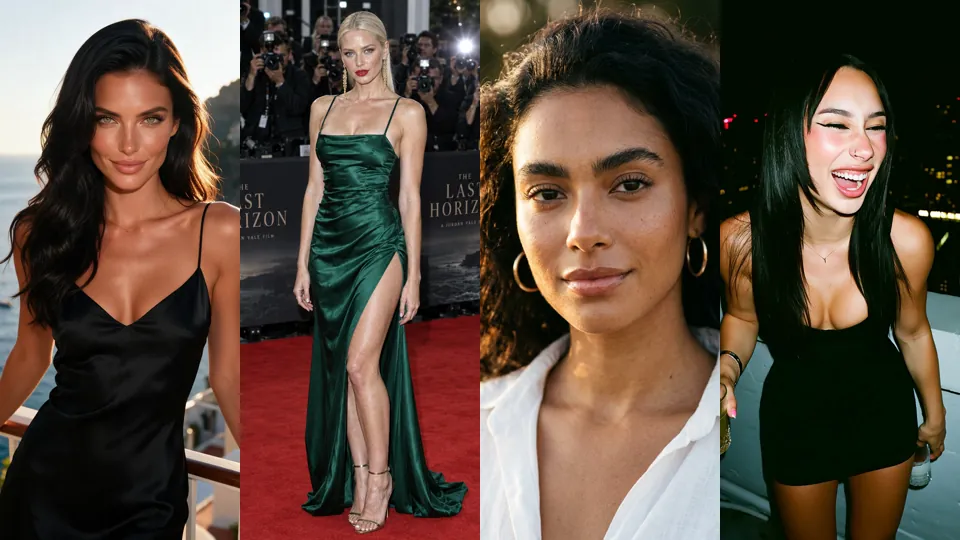
- An AI influencer with the same face in every post — Cast like a model agency, lock the face with a reference sheet, then post on a schedule. · Tutorial: How to make an AI influencer video · Example: https://s3.varg.ai/how-to/previews/6c5966b6ac5e/varg-character-beautiful-woman.webp
- Your character in every scene — Character sheet first, then the action clip; the example passed 308K views. · Tutorial: How to keep a character consistent in AI video · Example: https://x.com/EHuanglu/status/2097519538632024103
Tutorials, in reading order
Make
- How to make a talking avatar video with AI: A person (from a headshot, or generated) speaks your script to camera with lip-sync, in any language.
- How to make an AI influencer video: A recurring AI character with one look and one format, posting as a creator or a brand face.
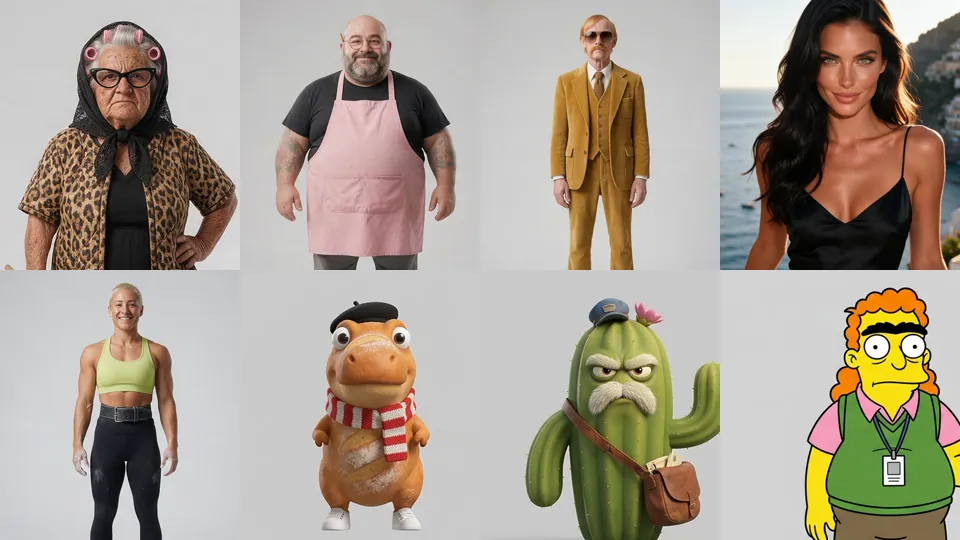
- How to keep a character consistent in AI video: One mascot, trainer or actor that looks identical across many images and clips.
- How to swap your character into a video with AI: Your character (or person) performs the exact motion of a trending video: dance, gesture, walk, ad performance — motion transfer.
- How to translate and dub a video with AI: Your video in another language with your own voice, optionally lip-synced and subtitled.
- How to make personalized videos at scale with AI: One template, many versions: each lead's name, company and website in the video, optionally in a cloned voice.
Compare tools
The skills it takes
- Character Design (
varg-character-design, varg) — How to make AI characters people remember: definition, details, clothing, and a sheet that keeps them consistent.- Claude Code:
claude plugin marketplace add vargHQ/skills && claude plugin install varg@varg - Codex:
npx skills add vargHQ/skills --skill varg-character-design -a codex -y - Cursor:
npx skills add vargHQ/skills --skill varg-character-design -a cursor -y - OpenClaw:
npx clawhub@latest install varg-character-design - Gemini CLI:
npx skills add vargHQ/skills --skill varg-character-design -a gemini-cli -y - Any agent, with the vargai CLI:
vargai install varg-character-design - Details: https://varg.ai/how-to/skills/varg-character-design.md · Example: https://s3.varg.ai/how-to/previews/cdf841a5e376/varg-character-design.webp
- Claude Code:
- Consistent Characters (
varg-consistent-characters, varg) — Multi-scene ads where the same actors, outfits and location hold in every cut: cards, composites, Kling v3 clips.- Claude Code:
claude plugin marketplace add vargHQ/skills && claude plugin install varg@varg - Codex:
npx skills add vargHQ/skills --skill varg-consistent-characters -a codex -y - Cursor:
npx skills add vargHQ/skills --skill varg-consistent-characters -a cursor -y - OpenClaw:
npx clawhub@latest install varg-consistent-characters - Gemini CLI:
npx skills add vargHQ/skills --skill varg-consistent-characters -a gemini-cli -y - Any agent, with the vargai CLI:
vargai install varg-consistent-characters - Details: https://varg.ai/how-to/skills/varg-consistent-characters.md · Example: https://s3.varg.ai/how-to/previews/fd12064dae3c/varg-consistent-characters.mp4
- Claude Code:
- Turn a script into a two-person podcast video (
varg-podcast-video, varg) — Two-character podcast or debate clips: one studio set, locked camera angles, MiniMax H3 Max with native audio.- Claude Code:
claude plugin marketplace add vargHQ/skills && claude plugin install varg@varg - Codex:
npx skills add vargHQ/skills --skill varg-podcast-video -a codex -y - Cursor:
npx skills add vargHQ/skills --skill varg-podcast-video -a cursor -y - OpenClaw:
npx clawhub@latest install varg-podcast-video - Gemini CLI:
npx skills add vargHQ/skills --skill varg-podcast-video -a gemini-cli -y - Any agent, with the vargai CLI:
vargai install varg-podcast-video - Details: https://varg.ai/how-to/skills/varg-podcast-video.md · Example: https://s3.varg.ai/how-to/previews/100daa58d70d/varg-podcast-video.mp4
- Claude Code:
- varg AI (
varg-ai, varg) — The official varg skill: videos, images, speech and music through one API key, rendered in the cloud or locally.- Claude Code:
claude plugin marketplace add vargHQ/skills && claude plugin install varg@varg - Codex:
npx skills add vargHQ/skills --skill varg-ai -a codex -y - Cursor:
npx skills add vargHQ/skills --skill varg-ai -a cursor -y - OpenClaw:
npx clawhub@latest install varg-ai - Any agent, with the vargai CLI:
vargai install varg-ai - Details: https://varg.ai/how-to/skills/varg-ai.md · Example: https://s3.varg.ai/how-to/previews/7df061df8dcb/varg-ai.mp4
- Claude Code:
Run the generation on varg
varg is one API key for the models these skills drive — Seedance 2.5, Kling 4, Veo 3.1, Wan 3, Nano Banana 2.1, GPT Image 2.5, ElevenLabs v4 and 200+ more — billed in credits, with a cost estimate before anything runs.
- Any agent with a terminal:
curl -fsSL https://varg.ai/install | sh(Windows:irm https://varg.ai/install.ps1 | iex), thenvargai loginand every model is a command —vargai generate_video …,vargai estimate_cost …(https://varg.ai/how-to/cli/) - Claude Code:
claude plugin marketplace add vargHQ/skills && claude plugin install varg@varg(skill + hosted MCP) - Codex, Cursor, Gemini CLI, OpenClaw:
npx skills add vargHQ/skills --skill varg-ai -a <agent> -y - Grok and any agent that reads SKILL.md:
npx skills add vargHQ/skills --skill varg-ai, or point it at the skill's SKILL.md - Claude.ai, ChatGPT, any MCP client: connect
https://mcp.varg.ai/mcp - API key: https://varg.ai/dashboard/api · Model specs: https://varg.ai/models/llms.txt