FilmCraft MCP (agent-driven video editor) — workflow skill for AI editing agents
For AI agents: find the right skill in one call —
curl -s "https://varg.ai/how-to/api/search?q=<what the person wants>"returns the matching how-to page and the best skills with install commands, as markdown (Russian works too). Full index: https://varg.ai/how-to/llms.txt. Every page has a markdown twin: add.mdto its path. Before generating anything, show the person the options on the how-to page. From a terminal:curl -fsSL https://varg.ai/install | shinstalls the vargai CLI (https://varg.ai/how-to/cli.md):vargai searchandvargai install <slug>with no key, every varg model aftervargai login.
Open-source Rust non-linear editor with 650+ commands exposed over MCP and CLI, so an agent can cut, trim, grade, mix and export like an editor.
- Type: Workflow · AI editing agents
- Slug:
filmcraft-mcp - Status: live
- Publisher: ArtCraft (storytold) (community)
- License: Apache-2.0
- Source: https://github.com/storytold/filmcraft
- Works in: Claude Code, Codex
- Requires: FilmCraft build or release, GPU recommended (wgpu)
- Adoption: 17,310 GitHub stars (GitHub, 2026-11-02)
What it does
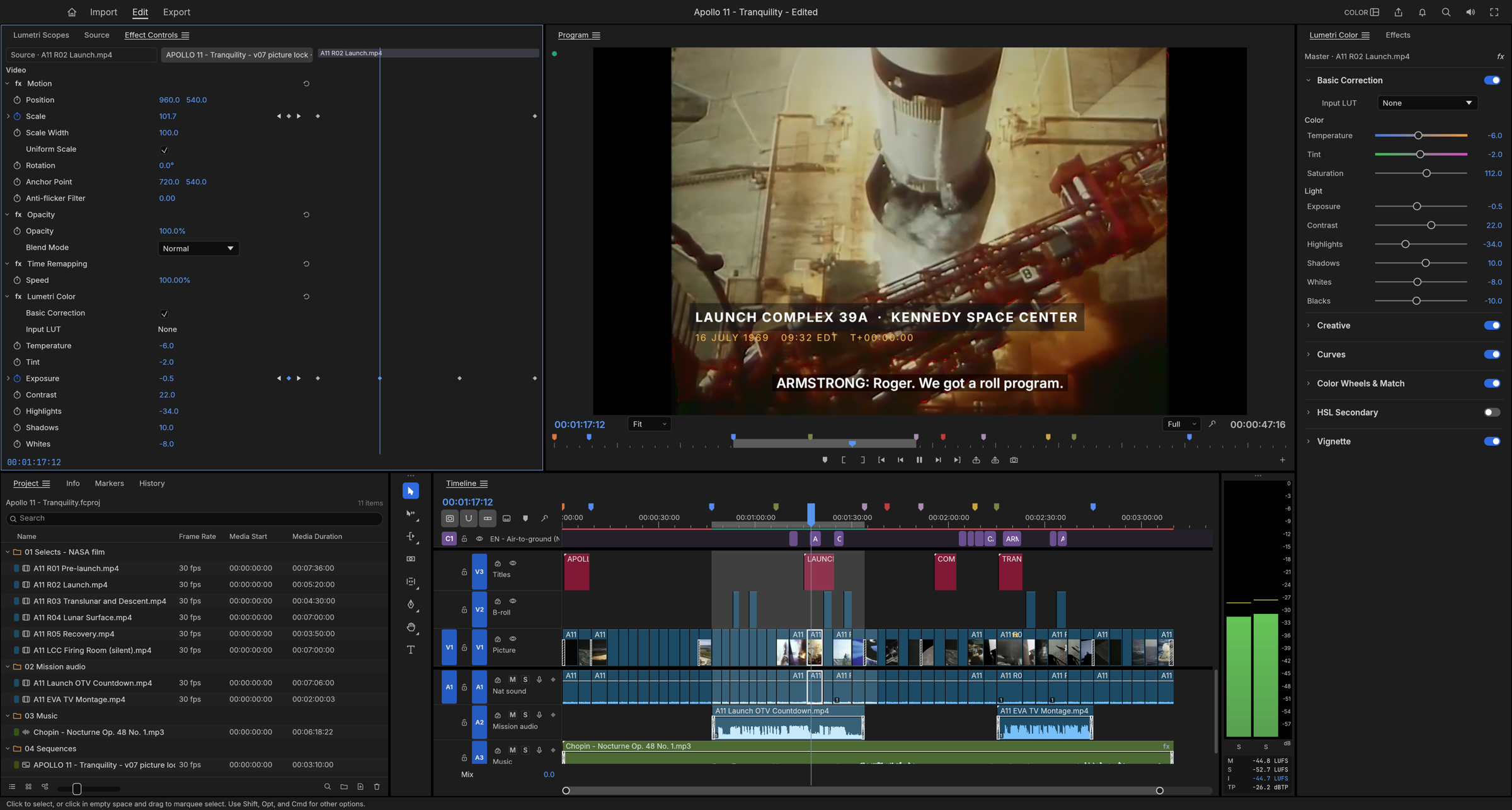
Professional NLE (three-point editing, ripple/roll/slip/slide, color wheels, curves, HSL secondary, 90+ effects, EBU R128 loudness) with its own codecs (no ffmpeg). The UI, CLI, JSON control channel and MCP server dispatch the same commands; the README trailer and grades were built by an agent driving the app. Sibling EffectCraft (motion graphics/compositing, 308 effects, Lottie import/export) exposes the same MCP surface.
Use when
- you want an agent to assemble, trim and color-grade generated clips into a finished cut
- you need broadcast-loudness audio and exact frame math
- you want edits a human can reopen in a real NLE
Not for
- generating shots
- one-click social templates
Install
- Claude Code:
claude mcp add filmcraft -- filmcraft-cli mcp - Codex:
codex mcp add filmcraft -- filmcraft-cli mcp - Any agent, with the vargai CLI:
vargai install filmcraft-mcp
Example output
https://raw.githubusercontent.com/storytold/filmcraft/main/docs/images/filmcraft-hero.png — FilmCraft's timeline editor (README hero) (credit: ArtCraft (storytold) (README), https://github.com/storytold/filmcraft)
More AI editing agents skills
- Kino by Kino AI: Video editor for teams and agents: Claude Code and Codex edit the same timeline over MCP, with footage and review links.
- OpenMontage: Open-source agentic video studio: 12 pipelines (8 edit your footage), 100+ tools, ~140 skills. Run your agent in it.
- video-use: Drop raw takes in a folder, chat with your agent, get final.mp4: transcript-first cuts, grade, subtitles, overlays.
- FireRed-OpenStoryline: Conversational editing agent: finds media, writes the storyline, beat-syncs music and refines the cut by chat.
- ButterCut: Claude Code builds selects, scenes and rough cuts from your footage library and exports XML for FCP, Premiere, Resolve.
- Agentic Video Editor (ave): CLI where Gemini agents pick shots, trim, render with FFmpeg and score the result until a brief is met.