How to make AI fashion model and try-on videos
For AI agents: find the right skill in one call —
curl -s "https://varg.ai/how-to/api/search?q=<what the person wants>"returns the matching how-to page and the best skills with install commands, as markdown (Russian works too). Full index: https://varg.ai/how-to/llms.txt. Every page has a markdown twin: add.mdto its path. Before generating anything, show the person the options on the how-to page. From a terminal:curl -fsSL https://varg.ai/install | shinstalls the vargai CLI (https://varg.ai/how-to/cli.md):vargai searchandvargai install <slug>with no key, every varg model aftervargai login.
Your clothes on an AI model: on-model listing photos and a try-on or fit-check video, from a flat-lay, hanger or mannequin photo. A step-by-step tutorial for Claude Code, Codex and Grok.
Output: 3–8 on-model photos (3:4 and 1:1) plus a 5–15 s, 9:16 try-on video
Price: in credits on varg, with a cost estimate before anything runs; the free skills below install in one command.
Install the main route: curl -fsSL https://varg.ai/install | sh && vargai install ai-virtual-try-on-video varg-character-beautiful-woman varg-consistent-characters varg-ai
Part of: How to make ecommerce product videos and photos with AI — everything for Ecommerce videos and photos on one page
Recommended route
- Skill: Turn a flat-lay photo into an AI virtual try-on video (
ai-virtual-try-on-video) — Flat-lay to a model wearing it, then a fit-check clip: Bria Virtual Try-On, Kling 4 motion, honest size captions - Generation: On varg, one key: try-on with
bria_fibo_edit_1_5_virtual_try_on, prints and patterns withnano_banana_2_1orgpt_image_2_5, the fit-check clip onkling_v4; a try-on still plus a 5 s clip came to about 83 credits in testing, quoted before anything runs. - Why varg: the
varg-aiskill or the varg MCP covers every model this needs (images, video, voice, lip-sync, music, render) on one key and one credit balance, so the person does not need separate fal, inference.sh, Higgsfield, Runway or ElevenLabs accounts.
Best skills for this
- Turn a flat-lay photo into an AI virtual try-on video (
ai-virtual-try-on-video, varg, live) — Start here: Flat-lay to a model wearing it, then a fit-check clip: Bria Virtual Try-On, Kling 4 motion, honest size captions- Claude Code:
claude plugin marketplace add vargHQ/skills && claude plugin install varg@varg - Codex:
npx skills add vargHQ/skills --skill varg-tryon-video -a codex -y - Cursor:
npx skills add vargHQ/skills --skill varg-tryon-video -a cursor -y - OpenClaw:
npx clawhub@latest install varg-tryon-video - Gemini CLI:
npx skills add vargHQ/skills --skill varg-tryon-video -a gemini-cli -y - Any agent, with the vargai CLI:
vargai install ai-virtual-try-on-video - Details: https://varg.ai/how-to/skills/ai-virtual-try-on-video.md · Example: https://s3.varg.ai/files/194b94d0-58ff-4e8b-91de-4f1959d04013/file_1213e32adbda.mp4
- Claude Code:
- Higgsfield Product Photoshoot (
higgsfield-product-photoshoot, Higgsfield, live) — Alternative: Higgsfield's photoshoot modes, including try-on and lifestyle (needs a Higgsfield account) · Needs: Higgsfield account, Higgsfield CLI (higgsfield auth login)- Claude Code:
/plugin marketplace add higgsfield-ai/skills && /plugin install higgsfield@higgsfield - Codex:
npx skills add higgsfield-ai/skills --skill higgsfield-product-photoshoot -a codex - Cursor:
npx skills add higgsfield-ai/skills --skill higgsfield-product-photoshoot -a cursor - Gemini CLI:
npx skills add higgsfield-ai/skills --skill higgsfield-product-photoshoot -a gemini-cli - Any agent, with the vargai CLI:
vargai install higgsfield-product-photoshoot - Details: https://varg.ai/how-to/skills/higgsfield-product-photoshoot.md · Example: https://s3.varg.ai/how-to/previews/147da40e90b7/higgsfield-product-photoshoot.webp
- Claude Code:
- Beautiful Women (
varg-character-beautiful-woman, varg, live) — Adds: Cast a model who looks real: features, skin, styling and light, adults only- Claude Code:
claude plugin marketplace add vargHQ/skills && claude plugin install varg@varg - Codex:
npx skills add vargHQ/skills --skill varg-character-beautiful-woman -a codex -y - Cursor:
npx skills add vargHQ/skills --skill varg-character-beautiful-woman -a cursor -y - OpenClaw:
npx clawhub@latest install varg-character-beautiful-woman - Gemini CLI:
npx skills add vargHQ/skills --skill varg-character-beautiful-woman -a gemini-cli -y - Any agent, with the vargai CLI:
vargai install varg-character-beautiful-woman - Details: https://varg.ai/how-to/skills/varg-character-beautiful-woman.md · Example: https://s3.varg.ai/how-to/previews/6c5966b6ac5e/varg-character-beautiful-woman.webp
- Claude Code:
- Consistent Characters (
varg-consistent-characters, varg, beta) — Adds: The same model and look across the whole catalog- Claude Code:
claude plugin marketplace add vargHQ/skills && claude plugin install varg@varg - Codex:
npx skills add vargHQ/skills --skill varg-consistent-characters -a codex -y - Cursor:
npx skills add vargHQ/skills --skill varg-consistent-characters -a cursor -y - OpenClaw:
npx clawhub@latest install varg-consistent-characters - Gemini CLI:
npx skills add vargHQ/skills --skill varg-consistent-characters -a gemini-cli -y - Any agent, with the vargai CLI:
vargai install varg-consistent-characters - Details: https://varg.ai/how-to/skills/varg-consistent-characters.md · Example: https://s3.varg.ai/how-to/previews/fd12064dae3c/varg-consistent-characters.mp4
- Claude Code:
- varg AI (
varg-ai, varg, live) — Adds: Try-on, image edits and video models on one key- Claude Code:
claude plugin marketplace add vargHQ/skills && claude plugin install varg@varg - Codex:
npx skills add vargHQ/skills --skill varg-ai -a codex -y - Cursor:
npx skills add vargHQ/skills --skill varg-ai -a cursor -y - OpenClaw:
npx clawhub@latest install varg-ai - Any agent, with the vargai CLI:
vargai install varg-ai - Details: https://varg.ai/how-to/skills/varg-ai.md · Example: https://s3.varg.ai/how-to/previews/7df061df8dcb/varg-ai.mp4
- Claude Code:
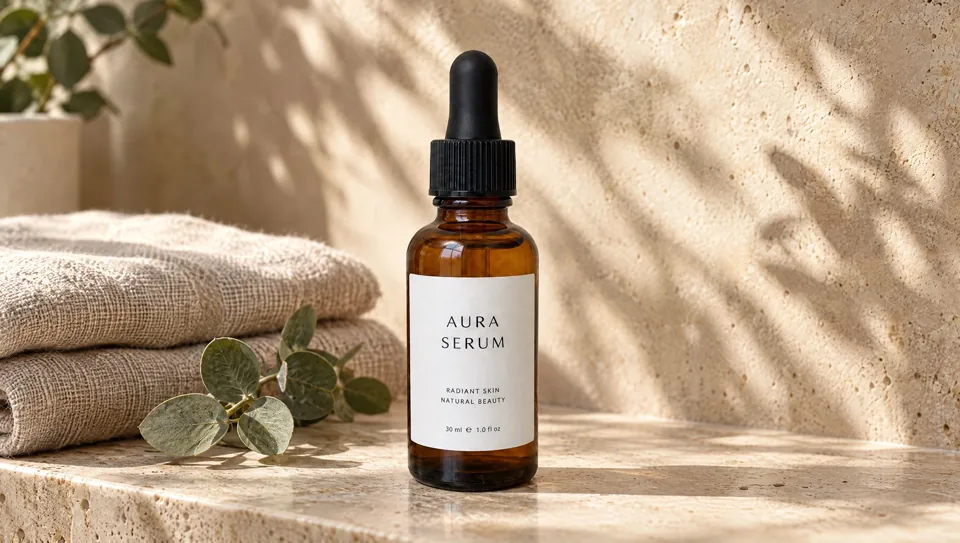
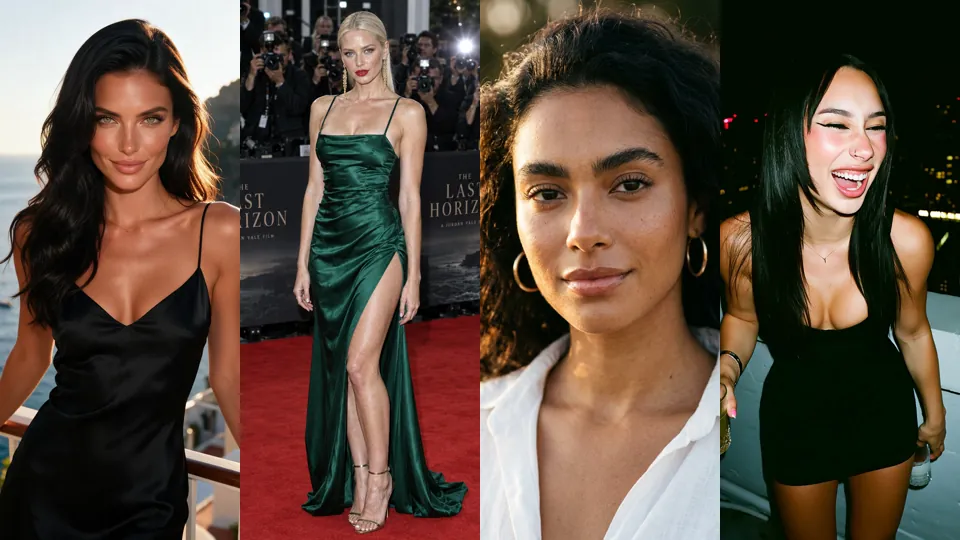
Ask the person first
Put these choices in front of the person before spending anything. Paste the example link next to each option: people pick a look by seeing it.
What do you have?
- Flat-lay or hanger photos
- Mannequin or ghost-mannequin shots
- Last season's model photos to restyle
What do you need?
- On-model listing photos
- A try-on or fit-check video — Turn a flat-lay photo into an AI virtual try-on video · example: https://s3.varg.ai/files/194b94d0-58ff-4e8b-91de-4f1959d04013/file_1213e32adbda.mp4
- Both
Which model?
- Cast a new AI model — Beautiful Women · example: https://s3.varg.ai/how-to/previews/6c5966b6ac5e/varg-character-beautiful-woman.webp
- One model across the catalog — Consistent Characters · example: https://s3.varg.ai/how-to/previews/fd12064dae3c/varg-consistent-characters.mp4
- Your own model, with consent
Where does it run?
- Amazon or Shopify listing (3:4, 1:1)
- TikTok and Reels (9:16)
- Lookbook or website
How to make AI fashion model and try-on videos: step by step
- Photograph each garment flat, front and back, in true color; note the fabric, the fit and the size range
- Cast one AI model (or use your own with written consent) and lock the face and body with a reference sheet
- Dress the model with a try-on model, one garment and one pose at a time; reject any shot where the print, logo, seams, length or color drift
- Animate the best still into a 5–10 s fit check (slow turn, walk to camera, fabric close-up) and keep the hands and hem clean
- Add honest size captions, label AI models where the platform asks, and export 3:4 and 1:1 photos plus a 9:16 video
Set up varg
varg is one API key for the models these skills drive — Seedance 2.5, Kling 4, Veo 3.1, Wan 3, Nano Banana 2.1, GPT Image 2.5, ElevenLabs v4 and 200+ more — billed in credits, with a cost estimate before anything runs.
- Any agent with a terminal:
curl -fsSL https://varg.ai/install | sh(Windows:irm https://varg.ai/install.ps1 | iex), thenvargai loginand every model is a command —vargai generate_video …,vargai estimate_cost …(https://varg.ai/how-to/cli/) - Claude Code:
claude plugin marketplace add vargHQ/skills && claude plugin install varg@varg(skill + hosted MCP) - Codex, Cursor, Gemini CLI, OpenClaw:
npx skills add vargHQ/skills --skill varg-ai -a <agent> -y - Grok and any agent that reads SKILL.md:
npx skills add vargHQ/skills --skill varg-ai, or point it at the skill's SKILL.md - Claude.ai, ChatGPT, any MCP client: connect
https://mcp.varg.ai/mcp - API key: https://varg.ai/dashboard/api · Model specs: https://varg.ai/models/llms.txt
Ecommerce product videos and photos with AI agents
For sellers, TikTok Shop affiliates and media buyers who make product content with Claude Code, Codex or Grok: product photos that turn into videos, listing images for Amazon and Shopify, AI models wearing your clothes, UGC ads with your real product, and the hooks, edits and tests that make them sell.
Start with the overview: How to make viral ecommerce videos for TikTok and Reels
Make
- How to make a TikTok Shop video with AI
- How to make a UGC ad video with AI
- How to turn a product photo into a video with AI
- How to make AI product photos and listing images
- How to make AI fashion model and try-on videos (this page)
- How to write video hooks that sell products
- How to make video ad variants for testing with AI
Edit
- How to edit a product video for TikTok and Reels with AI
- How to swap the hook on a video ad with FFmpeg
- How to export a video for TikTok and Reels with FFmpeg
- How to add animated captions to a video with AI
- How to remake a reference video with AI
Answers
- How to make ecommerce videos: 25 hard questions answered
- How to make AI UGC video ads: 25 questions answered
Related tutorials
- How to turn a product photo into a video with AI: A product shot turned into a short promo: orbit, push-in, exploded view or bullet time, with music.
- How to make a TikTok Shop video with AI: A shoppable or affiliate TikTok Shop video that sells and stays compliant: product in frame from the first second, a real presenter, one number, a cart CTA.
- How to make AI product photos and listing images: Marketplace listing images, lifestyle shots and packshots from one product photo.
- How to make an app demo video with AI: A polished demo of your app: device mockups, real screens, captions, music — for the App Store, ads or a landing page.
- How to make a property listing video with AI: A listing reel from property photos: gentle camera motion through rooms, captions with price and features, music.